Create Trading Bot
After setting up your multisig wallet, the next step is creating your automated trading bot. This bot will handle all your trading operations according to your configured strategies.
What Does the Trading Bot Do?
Your Sharkblock trading bot is an intelligent automated system that:
- Monitors market conditions 24/7
- Executes trades based on your predefined strategies
- Manages risk according to your settings
- Provides real-time updates on trading activity
Creating Your Bot
Follow the demonstration below to create your trading bot:
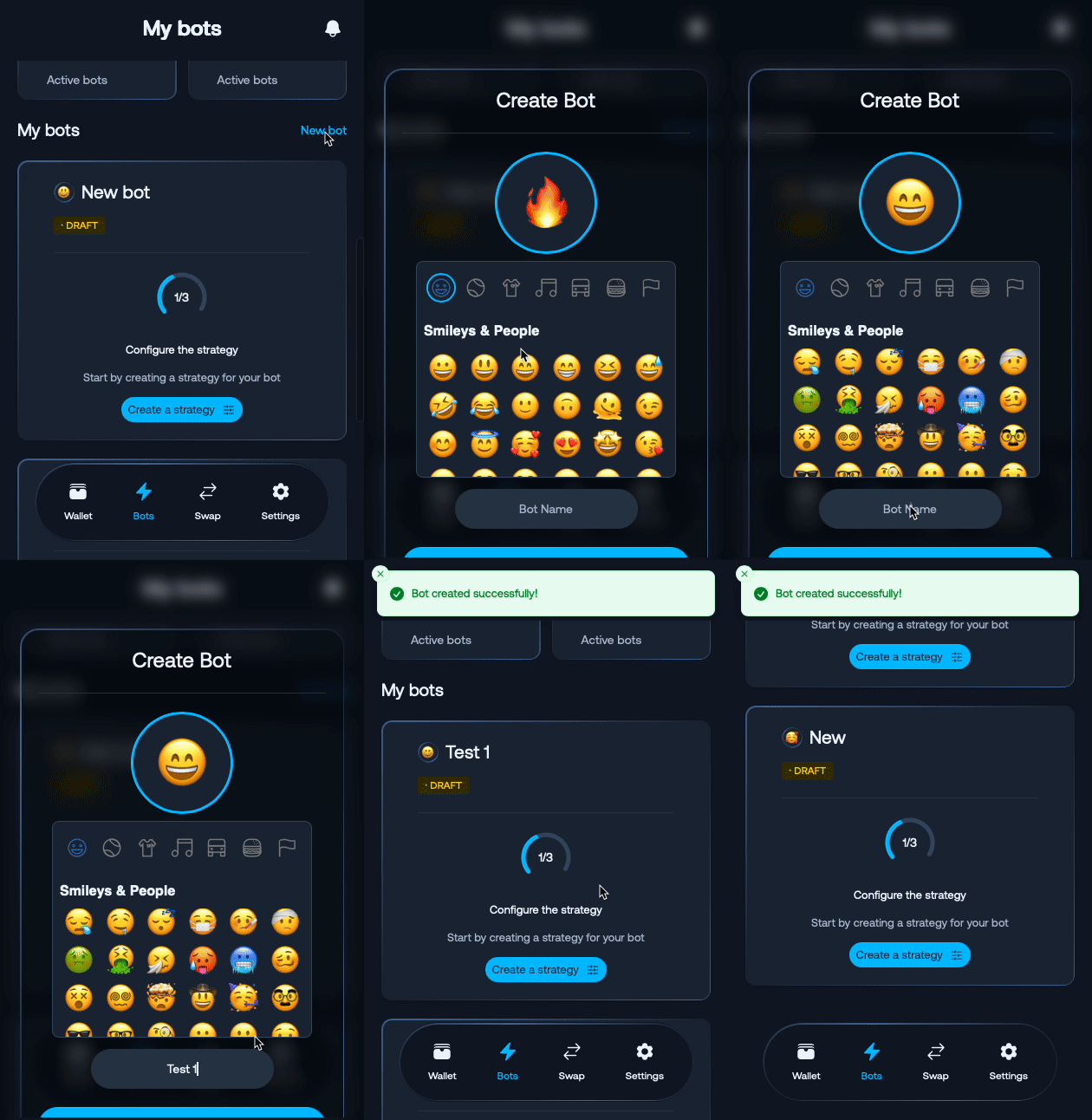
Step-by-Step Process:
- Enter Bot Name: Choose an emoji name for your bot (e.g., 🦈 Shark Trader)
- Create Your Strategy: Design your trading approach
- Configure Settings: Set up your bot parameters
- Create Bot: Complete bot creation
For detailed strategy options, see our Trading Strategy Guide.
Bot Configuration Options
Risk Management
- Stop Loss: Automatic loss protection limits
- Take Profit: Automated profit-taking levels
- Position Size: Maximum trade size per operation
Important Notes
⚠️ Start Small: Begin with a small capital allocation to test your bot’s performance
📊 Monitor Performance: Regularly review your bot’s trading results and adjust settings as needed
🔄 Strategy Updates: You can modify your bot’s strategies at any time based on market conditions
Next Steps
Once your bot is created, you can:
- Enable the bot to start trading
- Configure advanced settings
- Monitor performance and manage funds
Last updated on