Disable Sharkblock Bot
Stop automated trading on all your bots instantly.
How to Disable
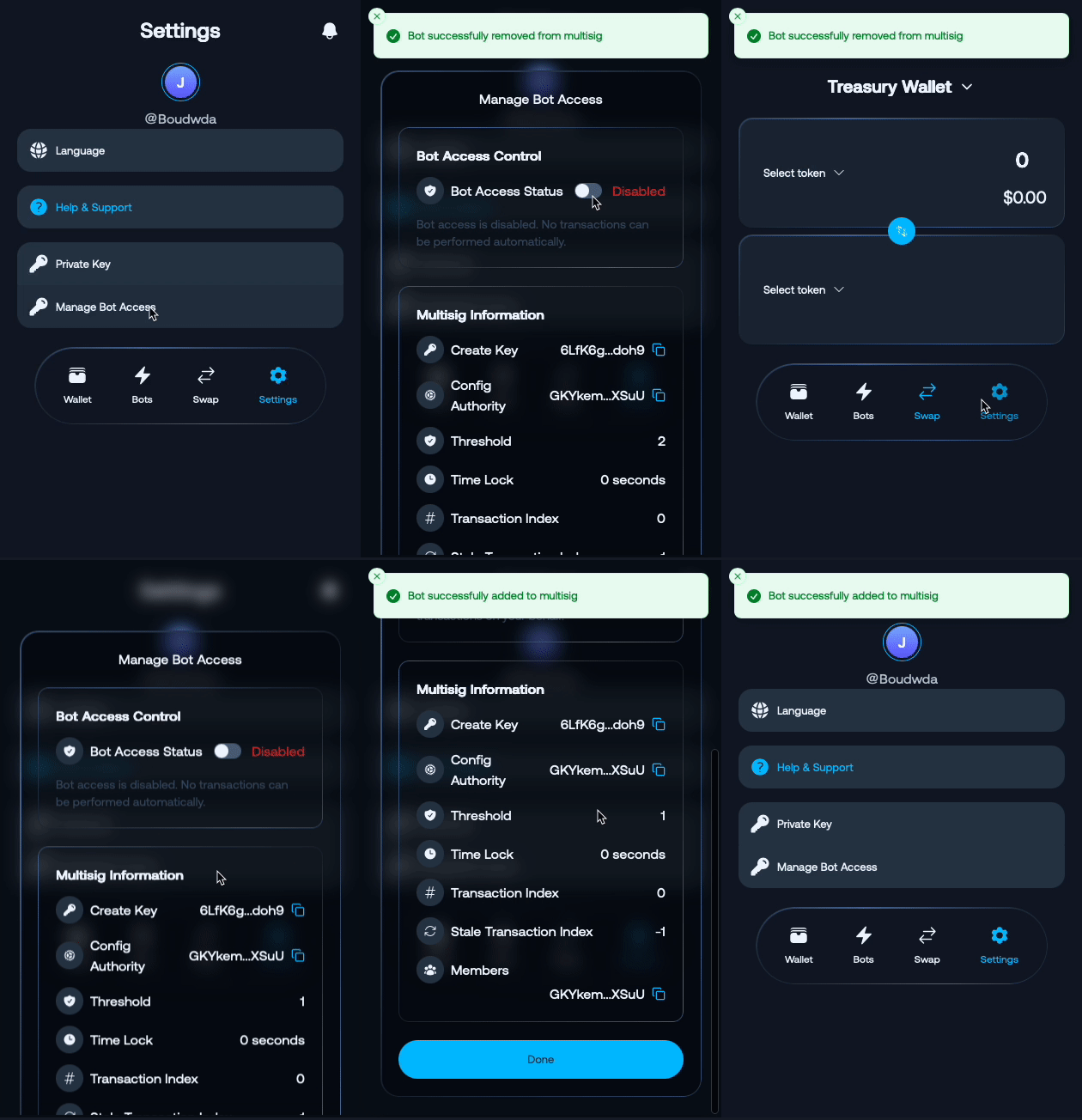
- Access bot settings
- Toggle “Disable” to stop trading on all bots
What Happens When Disabled
Once you disable your bots:
- 🛑 Trading Stops: All bots stop executing new trades immediately
- 🔐 Open Positions: Any existing positions remain open for manual management
- 📊 Strategy Pause: All automated strategies are paused
- 💰 Manual Control: You regain full control of your wallet and funds
- 📱 Notifications: You’ll receive confirmation of bot shutdown
Managing Open Positions
After disabling, you can:
- Keep positions open and manage manually
- Close all positions immediately
- Close selected positions only
- Set manual alerts for position monitoring
To restart trading, see Enable Bot.
Last updated on