Exit Strategies
Configure when and how your bot exits trading positions.
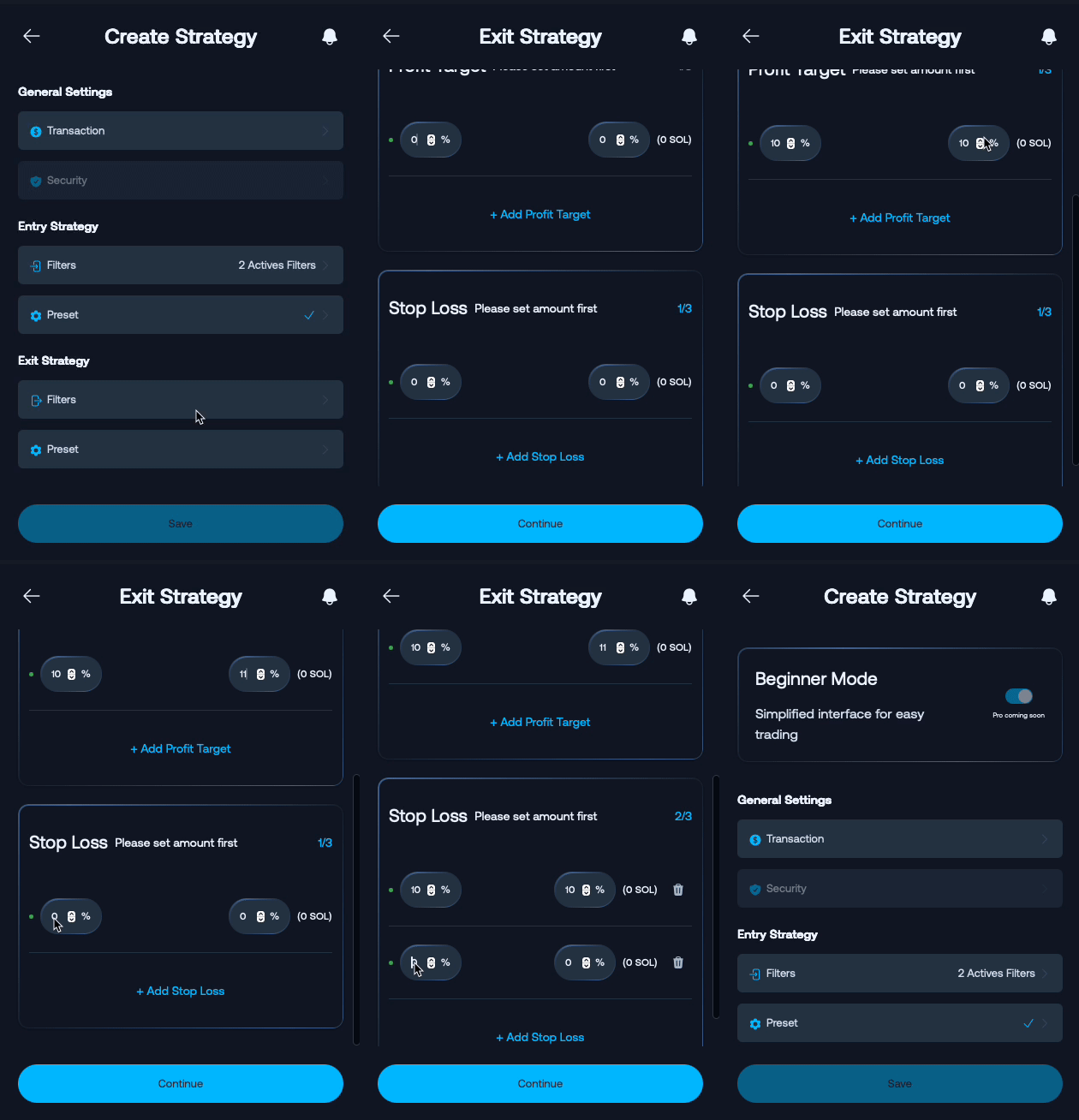
Take Profit Settings
Set up to 3 take profit levels based on percentage gains from your trade amount. Each take profit allows you to:
- Percentage: Define your profit target
- Amount: Choose what portion of your position to sell at that level
Maximum: 3 take profit levels can be configured
Stop Loss Settings
Set up to 3 stop loss levels based on percentage losses from your trade amount. Each stop loss allows you to:
- Percentage: Define your loss threshold (e.g., -20%)
- Amount: Choose what portion of your position to sell at that level
Maximum: 3 stop loss levels can be configured
Example: If you buy at $1.00, setting a -20% stop loss will trigger a sell when the price drops to $0.80
Transaction Presets for Exit
Configure how exit transactions are executed. These settings apply only to sell orders.
Priority Fee
Set transaction priority level for faster execution:
- Low: Standard network fees
- Medium: Moderate priority for better execution speed
- High: Premium fees for fastest execution
Slippage
Configure acceptable price deviation during trade execution:
- 20%: Standard slippage tolerance
- 30%: Higher slippage for volatile conditions
- Custom: Set your own percentage
Anti-MEV Protection
Protection against Maximal Extractable Value attacks:
- Off: Standard transaction execution without MEV protection
- Reduced: Basic protection against MEV attacks
- Secured: Maximum protection against front-running and sandwich attacks
Review your overall settings: General Settings