Transfer Funds
Send SOL from your Sharkblock wallet to other addresses.
How to Transfer
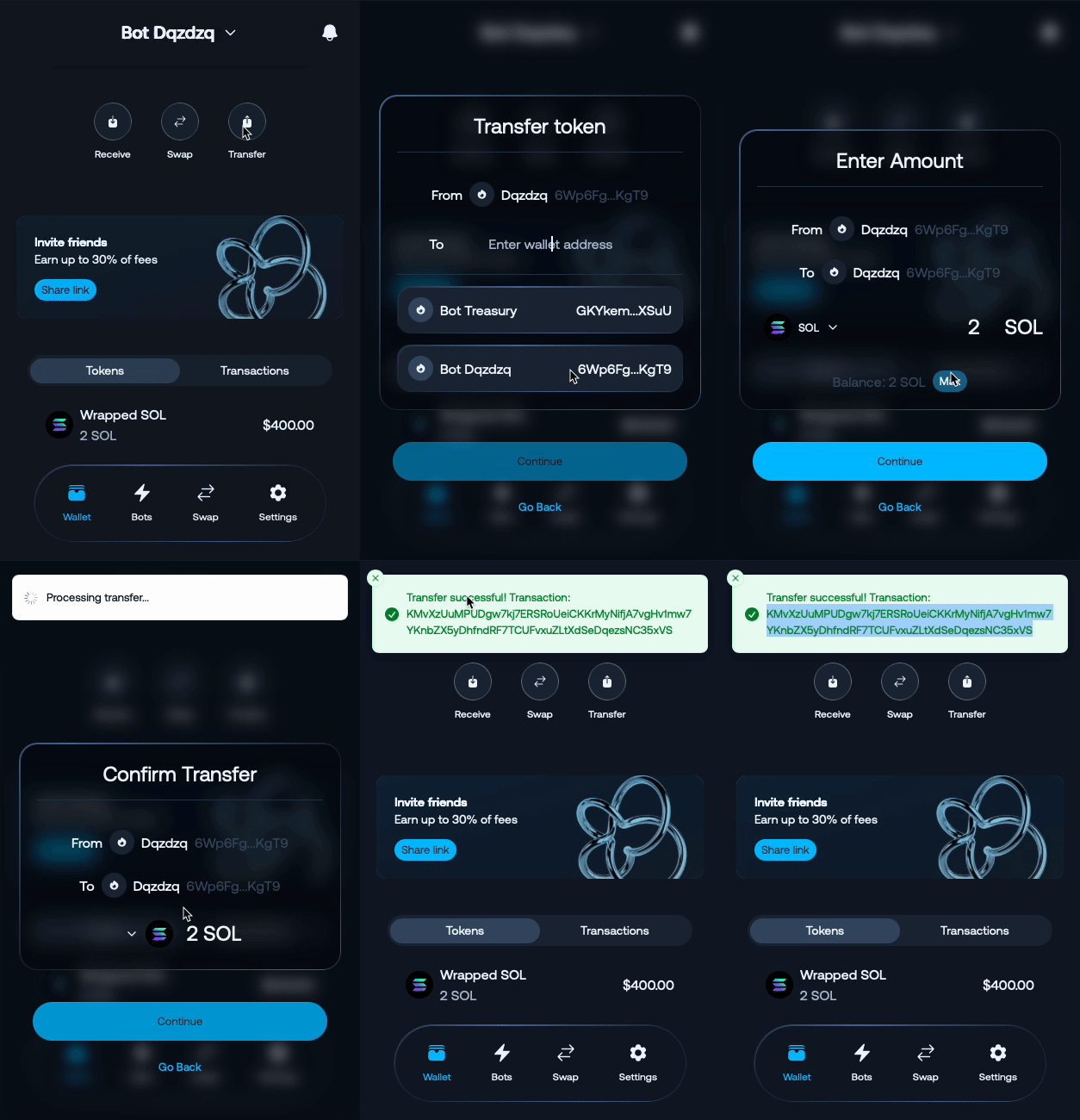
- Access Wallet: Navigate to your wallet section
- Select Transfer: Click “Send” or “Transfer”
- Enter Recipient: Input destination wallet address
- Set Amount: Specify how much SOL to send
- Confirm Transfer: Authorize with multisig signatures
Important Requirements
Squads Protocol Rent Fee
⚠️ Important: Always maintain at least 0.01 SOL in your bot wallet to cover rent fees generated by Squads Protocol multisig operations.
Security
✅ Double-check recipient address before sending
✅ Ensure recipient supports Solana network
Next Steps
After transferring:
- Monitor wallet balance
- Receive more funds if needed
Last updated on